Cookie settings: We use cookies to analyze site traffic and optimize your experience. Read our Privacy Policy for details.
Subcontract Precision Engineering Scheduler
90-Day Free Trial
Agile Visual Scheduling for Subcontract Machine Shops
Win more customer contracts and boost on-time delivery. Synctile replaces rigid legacy ERP modules and paper travelers with a tactile, drag-and-drop floor board built for high-mix low-volume (HMLV) job shops.
15-minute setup · Free for 3 months · Cancel anytime online
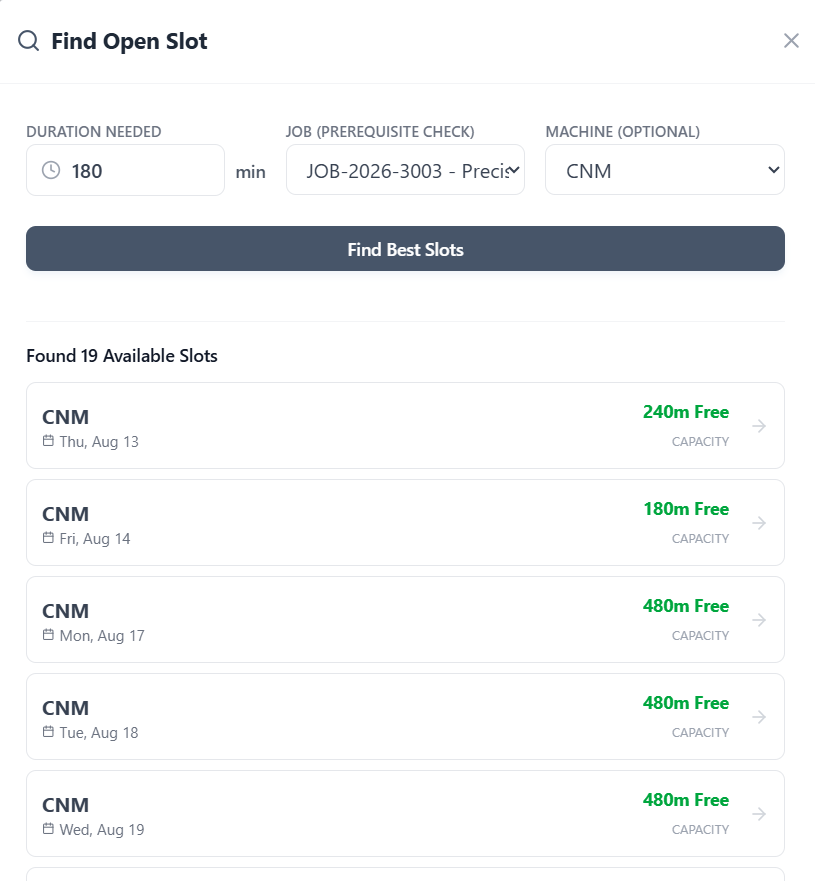
1-Click Slot Discovery Slot urgent AOG hot jobs into verified gaps
High-Mix / Low-Volume Manage 1-off prototypes to 500-off batches
Multi-Process Cells Lathes, 5-Axis, Wire EDM, Grinding & CMM
+7%
On-Time Delivery Average increase in customer delivery reliability
HMLV Job Shop Clarity
A schedule built for the chaotic pace of subcontract engineering
In subcontract precision engineering, customer order volumes change constantly, drawing revisions happen mid-run, and urgent expedites arrive daily. Synctile gives your works manager and section leaders a responsive visual board that adapts to changes in seconds without crashing your weekly plan.
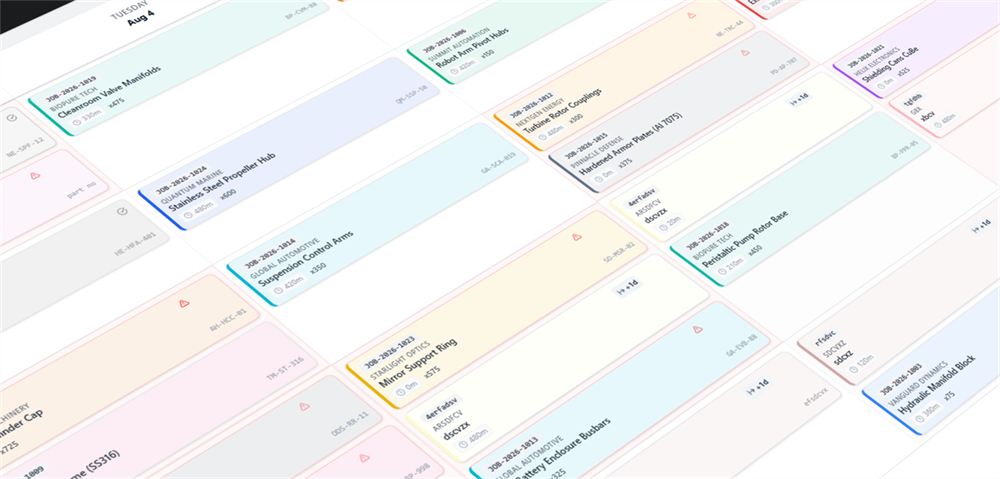
Zero Training Barrier
Designed for shop floor speed
Subcontract machinists and setters do not have time to navigate complex ERP data screens. Synctile provides an intuitive touch-first interface that any team member can use in minutes.
- Import customer purchase orders from Excel with 1-click column mapping
- Clear visual tracking of raw material certificates (MTRs) and FAI hold points
- Eliminate shift handover communication breakdowns completely
Engineered for High-Mix Subcontracting
Manage one-off prototypes, customer delivery promise dates, and multi-cell routings seamlessly.
1-Click Rush Expedite Slotting
When an aerospace, defence, or medical customer calls with an urgent AOG requirement, Synctile surfaces open spindle hours in one click without destroying your weekly plan.
Multi-Process Workstation Cells
Organize multi-process subcontract routing across CNC Milling, Multi-Axis Turning, Wire EDM, Surface Grinding, Deburr, and Final CMM Inspection with dependency tracking.
Customer Milestone Traceability
Answer customer progress inquiries in seconds. Open Synctile to instantly see the active machine, operator, and expected completion date for any purchase order.
Capacity Overload Warning Flags
Synctile calculates total planned hours against working shift capacity, immediately highlighting overloaded machines so you can rebalance work to secondary cells.
Material Cert & FAI Hold Badges
Apply visual quality hold flags for mill test certificates (MTRs) and First Article Inspection reports to ensure parts never proceed without compliance signoff.
Overhead TV Kiosk Display Mode
Broadcast the schedule across your engineering cells on wall TVs. Machinists always know what tooling and material to prep for the next batch.
Capacity Management
Real-time clarity across every engineering cell
Track multi-machine routings, secondary finishing steps, and quality sign-offs on one clean board.
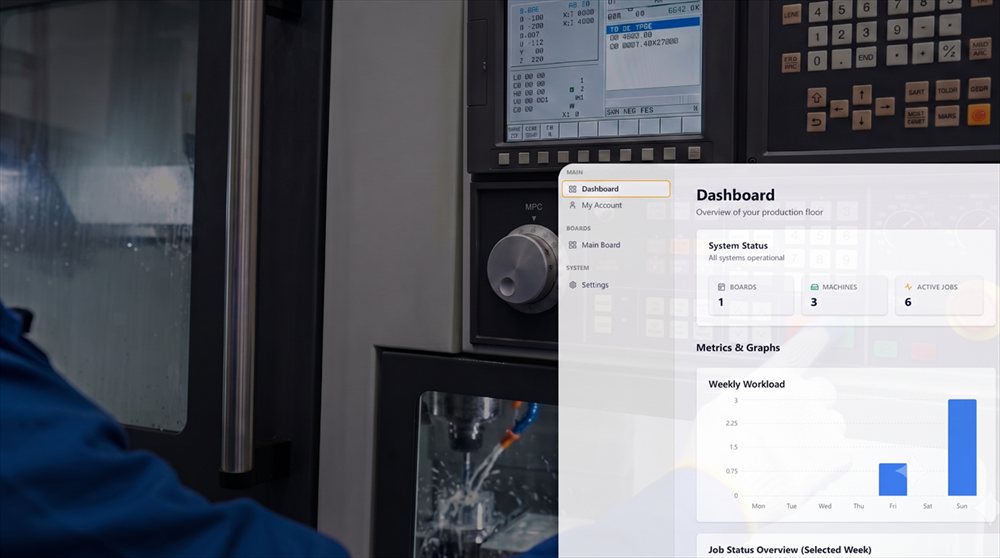
6 hrs/wk
Average time saved on customer status lookups and job chasing
Cell-Side Workstation Display
Visual batch queues and customer drawing numbers displayed directly at each machine center.
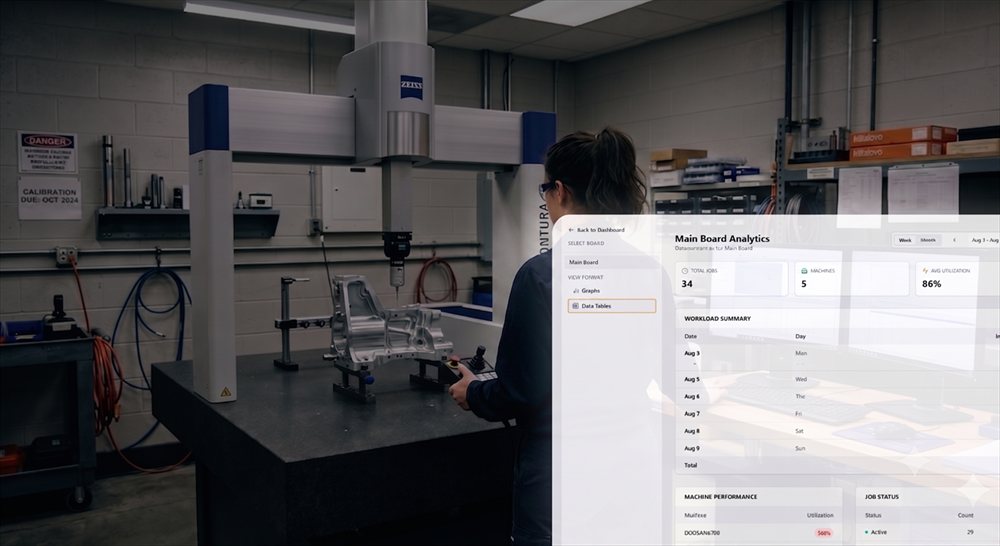
+18% OEE
Average boost to shop floor machine utilization
Daily Load & CMM Capacity
See planned machining hours, track first-off inspection progress, and eliminate bottlenecks before they delay customer shipments.
Operational Flow
How a Subcontract Job Shop Operates on Synctile
From quoting realistic delivery dates to delivering certified aerospace components:
01
08:00 Quote Capacity Check
Estimator checks live machine loading before issuing customer quote. Accurate lead times are promised with zero guesswork.
02
11:30 Multi-Op Release
Order arrives: Planner imports CSV order list. Cards for Turning (Op 10), Wire EDM (Op 20), and CMM (Op 30) populate linked on the board.
03
14:00 Rush Expedite Slot
Urgent defense prototype arrives. Gap Finder finds a 4-hour open slot on the Mazak 5-axis. Job is inserted without disrupting standard work.
04
16:30 Inspection & CoC Signoff
Quality inspector signs off dimensional reports and Certificate of Conformity. The job card shifts to 'Ready for Shipping'.
Method Evaluation
Subcontract Scheduling Tools Compared
Why high-mix precision job shops switch to Synctile from legacy MRP systems and spreadsheets:
| Capability | Traditional ERP (JobBOSS/E2) | Excel Work Order Sheets | Synctile Visual Schedule |
|---|---|---|---|
| Implementation Speed | 3-6 months with consultants | Days of formula building | 15 minutes with CSV import |
| Rush Job Handling | Rigid MRP regeneration locks up | Manual spreadsheet editing | 1-Click Gap Finder finds open hours |
| Operator Friendly | Requires keyboard and login forms | Not accessible on floor | Touch-first visual card board for tablets/TVs |
| Multi-Op Error Detection | Hidden inside report logs | None | Instant visual collision alerts |
Trusted by Subcontract Machine Shops
Real feedback from precision component manufacturers running Synctile on the shop floor.
5.0
“We replaced our 6-foot magnetic whiteboard in one morning. The machinists took to it immediately on a couple screens on the shop floor because it works just like physical job cards without the lost paperwork.”
PM
Production Manager
Precision CNC Machining · 35-person shop 5.0
“Within our first month of running Synctile on our overhead monitors, our on-time delivery improved by about 7% simply because machine bottlenecks became visible before jobs fell behind schedule.”
MD
Managing Director
Custom Component Engineering · 20 CNC machines 5.0
“We run a mix of 3-axis mills and twin-spindle lathes. The whiteboard in our works office was always out of sync with what was happening on the spindles. Putting Synctile on two wall monitors in the workshop sorted out our shift handovers within the first week.”
WM
Works Manager
Sub-Contract Precision Engineering · 15 CNC machines Precision Engineering Scheduling FAQ
Practical answers for subcontract machine shop directors, works managers, and production planners.
How does Synctile handle High-Mix Low-Volume (HMLV) job shop orders?
Synctile is built specifically for agile workshops handling one-off prototypes, small batch production runs (1 to 500 parts), and rapid quote turnarounds. Schedulers drag and drop jobs between machines in seconds without complex MRP reconfiguration.
How do we handle urgent rush jobs (AOG / Breakdown Hot Jobs)?
Synctile's instant Gap Finder pinpoints open machine hours across your work cells and lets you slot rush jobs in with one click while instantly adjusting subsequent queues and warning about downstream conflicts.
Does Synctile support diverse secondary operations like Wire EDM and Grinding?
Yes. You can define columns for CNC Lathes, 5-Axis Mills, Wire Erosion (EDM), Surface Grinding, Cylindrical Grinding, Manual Fitting, Heat Treatment, and Final CMM Inspection to cover your complete subcontract routing.
How does Synctile help improve On-Time Delivery (OTD)?
By providing real-time shop floor visibility and machine overload alerts, Synctile helps managers spot bottlenecks days in advance, leading to measurable improvements in customer delivery reliability and customer retention.
Can we manage material test certs (MTRs) and customer inspection hold points?
Yes. Job cards support visual status flags such as 'Material Cert Hold', 'First Article Inspection (FAI)', and 'Ready for Packing', preventing uncertified parts from progressing to subsequent operations.
How quickly can our shop floor team be trained?
Operators typically learn Synctile in under 10 minutes. Because it mirrors a physical visual T-card board or planning magnetic board, there are no confusing submenus or multi-layer data entry forms.
Deliver On Time, Every Time
Equip your precision machine shop with live visual scheduling. Start your 90-day free trial.