Cookie settings: We use cookies to analyze site traffic and optimize your experience. Read our Privacy Policy for details.
CNC Machine Shop Scheduler
90-Day Free Trial
Visual CNC Scheduling Built to Keep Spindles Cutting
Replace magnetic whiteboards and out-of-date Excel schedules. Synctile gives CNC machine shops real-time drag-and-drop dispatching, multi-op routing validation, and live overhead screen updates across Haas, Mazak, and DMG Mori machining cells.
15-minute setup · Free for 3 months · Cancel anytime online
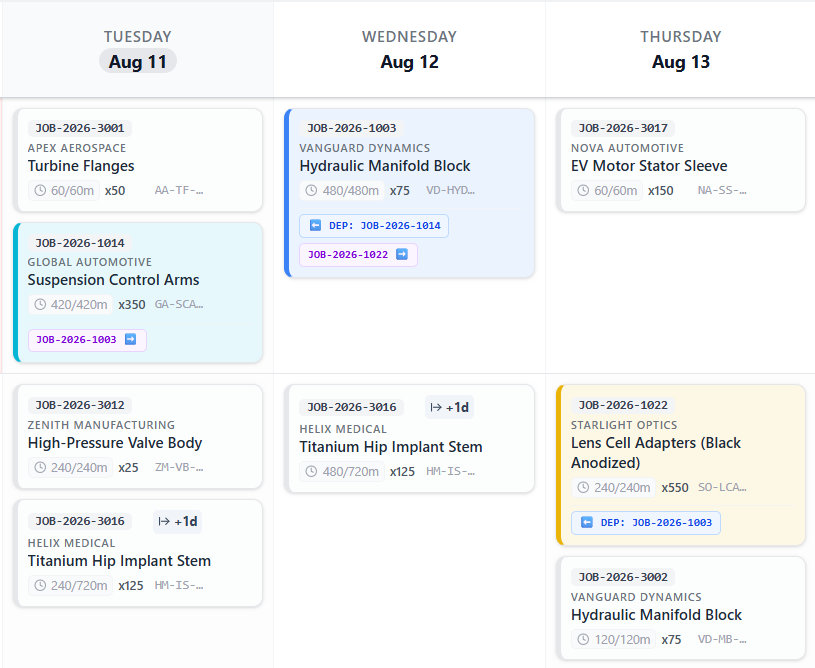
15-Minute CSV Setup Import CAM part lists and job orders
Spindle TV Broadcast Live overhead queue displays across cells
Sequence Safeguards Prevents Op 20 starting before Op 10
10h
10 hrs/wk Saved Average machine shop planning hours saved
Familiar · Tactile · Fast
A machine shop schedule your whole team can actually read
Stop moving magnets around a whiteboard or updating complex spreadsheets. Synctile gives CNC machine shops a clear, high-contrast visual schedule that everyone on the floor understands instantly. Machinists see upcoming setups, programmers see queue loads, and managers track on-time delivery.
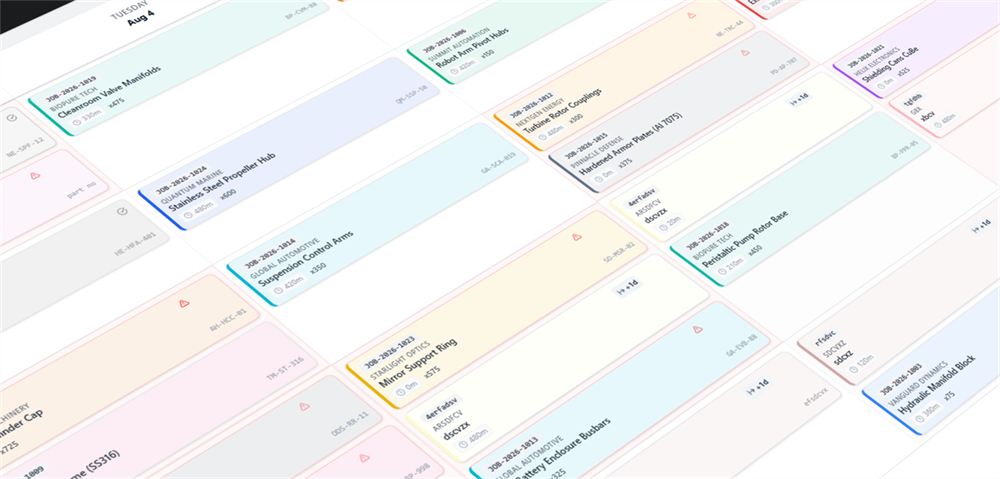
Machine-Side TV Mode
Keep every CNC cell on the exact same page
Mount overhead display monitors across your turning cells, 5-axis mills, and inspection rooms. When planners adjust a rush job in the office, the screen updates in real time.
- No more chasing paper job travelers or lost setup sheets across the shop
- Instant tool wear and quality hold flags visible immediately to supervisors
- High-contrast cards easily readable from 20 feet away across the machine aisle
Built for Precision Machine Shops
Everything CNC milling and turning shops need to maximize spindle uptime without complex ERP friction.
Multi-Op Routing & Linkage
Connect turning (Op 10), 3-axis roughing (Op 20), 5-axis finishing (Op 30), and CMM quality signoff. Synctile warns you if finishing is scheduled before roughing finishes.
Setup & Tooling SMED Grouping
Group jobs requiring identical soft jaws, tombstone fixturing, or specialized end mills consecutively on the timeline to slash setup teardown downtime.
1-Click Rush Prototype Slotting
When an urgent motorsport or aerospace prototype lands, use the instant Gap Finder. It scans your spindles for available hours and slots the job in without wiping your weekly plan.
Auto-Extending Hard Alloy Runs
When machining Inconel or Titanium requires reduced feeds and longer cycle times, 1-click Auto-Extend rolls remaining hours into the next day automatically.
Lights-Out Pallet Pool Queues
Queue long unattended cycle runs into overnight and weekend machine slots. Clearly differentiate manned setup shifts from unattended pallet pool cutting.
Live Shop Floor TV Broadcast
Auto-refreshing TV mode designed for wall monitors. Operators see upcoming part numbers, tooling notes, and priority badges from across the aisle.
Spindle Utilization
Real-time clarity across every CNC spindle
Clear job timelines, daily capacity planning, and instant schedule updates for milling and turning.
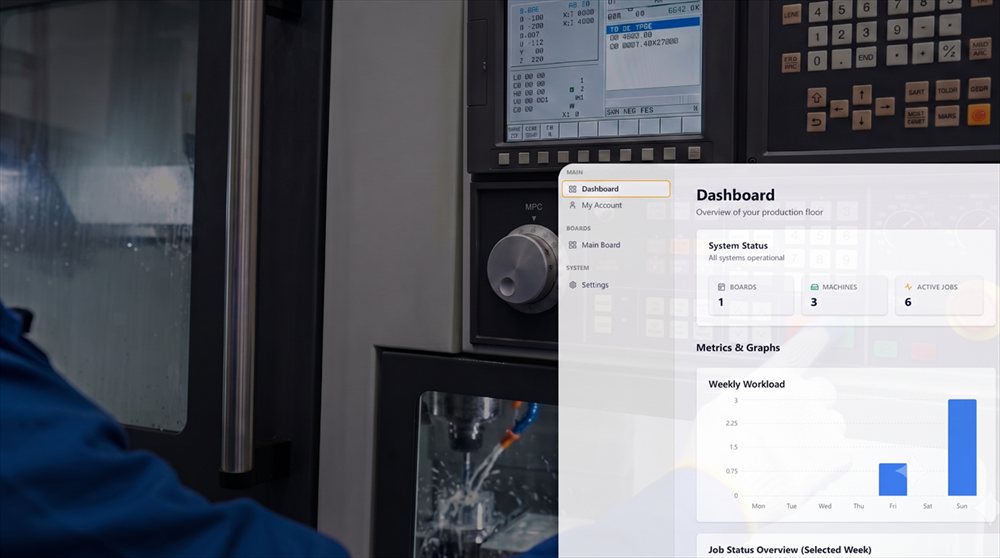
6 hrs/wk
Average time saved on manual scheduling and shift handovers
Machine-Side Spindle Display
Visual job schedules and workstation queues displayed right next to your Haas, Mazak, and Doosan machining centres.
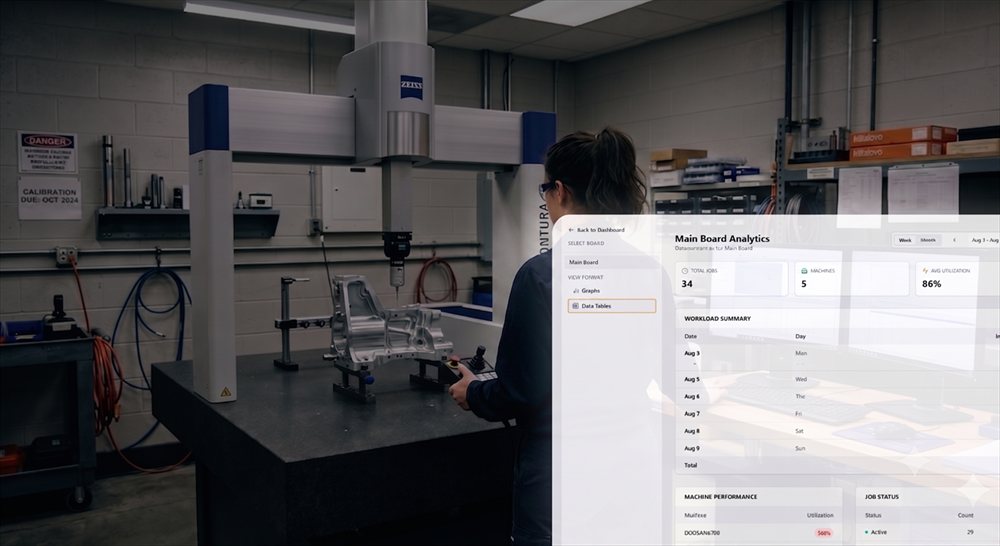
+18% Uptime
Average boost to shop floor spindle cutting utilization
Daily Load & CMM Capacity
See planned machining hours, track first-off inspection progress, and eliminate bottlenecks before they delay customer shipments.
Day-in-the-Life
How a CNC Machine Shop Runs on Synctile
From the 07:00 morning shift briefing to overnight lights-out pallet runs, see how visual dispatching keeps the shop floor synchronized:
01
07:00 Morning Standup
Production manager and section leads review the overhead TV board. Priority jobs, material readiness, and machine loading are clear in 3 minutes.
02
10:30 Staging Tooling & Jaws
Operators look ahead 2 cards on the screen to prepare preset tool holders, raw billets, and soft jaws before the active job finishes cycle.
03
14:00 First-Off CMM Signoff
Quality inspector clears the first-off report and taps the card. The job advances to full batch run while Op 20 milling cell receives a ready signal.
04
17:00 Lights-Out Loading
Long cycle multi-pallet jobs are dragged into overnight slots. Schedulers verify tombstone loading with zero guesswork before closing down.
Practical Comparison
How Synctile Compares to Traditional CNC Scheduling Methods
Why precision machine shops replace whiteboards and heavy ERP modules with a dedicated visual floor board:
| Feature / Workflow | Magnetic Whiteboard | Excel Work Order Sheet | Synctile Visual Board |
|---|---|---|---|
| Shop Floor Visibility | Only visible if standing at board | Locked on office desktop | Live broadcast on overhead TVs & iPads |
| Multi-Op Sequence Validation | Manual verification prone to errors | None (static cell values) | Automatic out-of-order collision warning |
| Rush Job Insertion | Requires wiping and rewriting cards | Manual formula recalculation | 1-Click Gap Finder surfaces open capacity |
| Setup Time to Deploy | 1 day to tape lines | Hours of custom spreadsheet formulas | Under 15 minutes with CSV import |
| Machinist Adoption | Easy, but easily wiped off | Hated by operators | High adoption: touch-first tactile UI |
Trusted by Machine Shop Managers
Real feedback from precision CNC machine shops running Synctile on the floor every day.
5.0
“We replaced our 6-foot magnetic whiteboard in one morning. The machinists took to it immediately on a couple screens on the shop floor because it works just like physical job cards without the lost paperwork.”
PM
Production Manager
Precision CNC Machining · 35-person shop 5.0
“Within our first month of running Synctile on our overhead monitors, our on-time delivery improved by about 7% simply because machine bottlenecks became visible before jobs fell behind schedule.”
MD
Managing Director
Custom Component Engineering · 20 CNC machines 5.0
“We run a mix of 3-axis mills and twin-spindle lathes. The whiteboard in our works office was always out of sync with what was happening on the spindles. Putting Synctile on two wall monitors in the workshop sorted out our shift handovers within the first week.”
WM
Works Manager
Sub-Contract Precision Engineering · 15 CNC machines CNC Machining Scheduling FAQ
Practical answers for machine shop owners, production managers, and lead machinists.
How does Synctile handle multi-op CNC routing and dependencies?
Synctile links dependent operations (e.g. Op 10 Twin-Spindle Turning to Op 20 5-Axis Milling to Op 30 Deburr to Op 40 CMM Inspection). If Op 10 runs over time or gets rescheduled, Synctile visually highlights downstream operations and warns the planner with out-of-sequence collision alerts.
Can machinists update job progress without leaving their machine?
Yes. Machinists can access Synctile on touchscreens, iPads, or overhead shop floor monitors. With a single tap, they can mark an operation 'In Progress', flag a tooling hold or missing raw billet, or complete the run for inspection.
How does Synctile support unattended or lights-out CNC machining runs?
Planners can drag long unattended pallet runs into overnight and weekend slots. You can clearly differentiate manned setup hours (day shift) from unattended run times, making sure pallet pools are loaded before the shift ends.
Can we import part numbers, cycle times, and batch quantities from Excel?
Yes. Synctile includes a 60-second CSV/Excel import tool. Simply copy and paste your work order list, map columns like Part Number, Description, Op Code, Estimated Run Time, and Quantity, and cards populate instantly across your machine columns.
What happens when a tool breaks or a part fails first-off inspection?
Operators can toggle an instant 'Tooling Hold' or 'Quality Hold' status directly from the machine screen. Planners immediately see the amber warning in the office, allowing them to drag a quick standby job onto the spindle while replacement tooling or inspection signoff is resolved.
How does Synctile compare to heavy ERP systems like JobBOSS, E2, or WinMan?
Traditional ERP scheduling modules require rigorous constraint configuration, take months to implement, and produce rigid Gantt charts that operators ignore. Synctile is a visual shop floor dispatch board that takes 15 minutes to set up and runs directly on TVs and tablets.
Get Your CNC Shop Running Smoothly
Set up your machines and test Synctile on your floor for a full 90 days with zero upfront commitment.